


Ever since I started working, every day has been nothing but work, work, work. Then I go home and don’t feel like doing anything productive, so I lazily click around on FaceBook until bedtime. Even when work isn’t particularly busy, spending the whole day at the office is still exhausting. And so my blog just sat there untouched as time went whoosh, whoosh, whoosh—and before I knew it, three months had passed! Oh my God!! I can’t believe it’s been that long. So,let me hurry up and write about some computer books on web and graphic design that I’ve read recently and would recommend!~
Although I have a job, the workload here comes in waves. Sometimes it’s so busy that everyone asks me to make graphics and web pages at once; other times, things suddenly go quiet for days and I have no idea what to do. So I borrowed some computer books from the Xingtian Temple Library to practise with during downtime at work. Maybe I could even learn something and put it to use right away, hahaha! To my surprise, I get through books much faster this way. It’s much better than when I was a student, borrowing a book for a month, renewing it for another month, then returning it without ever reading it!
The following are three books that I read from cover to cover and worked through myself. I thought all three were excellent, and each taught me a great deal. However, since I haven’t actually finished and followed along with many other similar computer books, Ican’t say these are the best computer books out there, but they are at least a few that I found well worth reading,so I hope this gives anyone looking for this kind of book—but unsure where to start—a useful reference!
1. 此生必學 TOP 7招-Adobe Photoshop CS3 楊姁 |碁峰出版社
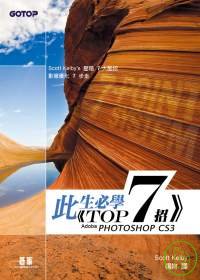
This is actually a translated book, but the translator, 楊姁, also known as 楊比比, made the translation sound very Taiwanese (hahaha) and read very smoothly. I’ve seen some translated computer books that leave piles of English untranslated or translate English terms too literally, making the terminology extremely difficult to understand. In that respect, I think this entire book was translated very well. The translator also adds some of her own experience at appropriate moments.
The Photoshop instruction in this book focuses entirely on photo retouching. Drawing on personal experience, the author lays out seven steps for fixing a terrible photo.The entire book has you practise these seven steps 20 times, with a few minor variations. Once you’ve worked through all 20 lessons from beginning to end and repeated those seven steps, they become your own photo-retouching workflow.
Personally, I really agree with this approach to learning. We often finish an entire Photoshop book covering how to change colours, adjust brightness, alter styles and retouch skin, yet still feel that everything works fine on the author’s photos—but when it’s time to edit our own, we have no idea where to begin or how to adapt those techniques. Most books love teaching isolated functions, such as slimming a waist, but the circumstances in each photo can be very different. The example photo in a book also seems to have just one problem, whereas the photos we take ourselves always have “a whole lot of problems.”
That’s why learning the author’s workflow and using those seven steps to fix different problems makes everything much easier when you apply them to your own photos.
On top of that,the steps are peppered with useful little tricks and keyboard shortcuts, which helped someone like me—who used to mindlessly click everything one by one with the mouse—discover all these hidden Photoshop features.
2. 簡單學Photoshop-楊比比影像密技收藏館 楊姁 |碁峰出版社
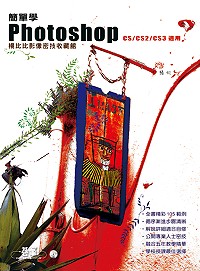
When I first joined the company, I had a colleague who had previously worked as a designer at an advertising agency. Every now and then, she would show me ways of using Photoshop that I had never tried before. For example, if I needed to draw a table, I would slowly draw one line at a time and then align everything with the left and right edges of the table. I had no idea there was a feature called a “clipping mask” that lets you draw lines freely—as long as you like—without the extra parts showing.
After finishing 《此生必學 TOP 7招-Adobe Photoshop CS3》, the shortcuts and little tricks in the book also made me realise something: I barely understood Photoshop at all! How could there be so many features I knew nothing about? So I decided to go back and learn Photoshop’s most basic functions, one by one, and finally understand the program properly. This book happens to be written by 楊比比, the translator of the first book.
Like most introductory Photoshop books, it begins with the most basic individual functions: brushes, shapes, paths and so on.Every function and technique comes with a practice file you can follow along with, and the book also teaches plenty of keyboard shortcuts and features hidden behind the toolbar.。
What do I mean by features hidden behind the toolbar? When I used Photoshop in the past, I only knew how to use the crop tool on the toolbar to cut a section out of a large image and turn it into a smaller one. But it can also turn a trapezoid-shaped image into a rectangle. For example, if we photograph a poster on the street from a slight angle, the poster may come out looking like a slanted trapezoid. To use this function, you first select the crop tool and then choose the “Transform Selection” tool under “Select.” If you don’t know that “Transform Selection” is hidden down there, it’s as though you only know half of what the feature can do—but Photoshop certainly isn’t going to tell you there’s something else you can click!
After finishing this book, I suddenly realised that I had basically been using Photoshop like Microsoft Paint—a complete waste of its capabilities. So many features are actually central to what makes it powerful, and so many keyboard shortcuts are what make it convenient to use, yet I’ve only just learned them now. The author, 楊比比, has more than ten years of teaching experience, so the material is presented very logically. The content is genuinely quite practical and suitable forbuilding a solid foundation, or for people like me who learned Photoshop years ago but were never taught any good techniques!The author does get a little wacky sometimes, though—pfft—and goes off on long, self-amused tangents, hahaha! (I hope she never sees this XD)
3. 網頁設計驚嘆號:Dreamweaver至高的網頁特效188招 李啟宏 |悅知文化

This is an excellent reference book! After borrowing and finishing it, I really wanted to buy my own copy.
Itis an advanced Dreamweaver book, suitable for anyone who already knows at least the basic Dreamweaver functions. It teaches many effects you’ve probably seen online, such as animated drop-down menus that appear when you move the cursor over them, thumbnails that enlarge on hover, and even galleries like the ones on Wretch, with clickable thumbnails of the previous and next few photos along the bottom. These are common web techniques that look difficult, but the book shows you how to create them with barely any need to look at code.
By the time you work through the whole book, you’ll have used things like CSS and JavaScript almost without noticing—the very things that ordinary designers tend to fear most when venturing into web design. In the final units, the author also introduces and provides many extensions that other people have already created online. Features that once looked difficult and sophisticated can be achieved with just a few clicks. Although extensions have existed for a long time and many related books teach them, I really like the ones selected for this book. They trulyare practical, popular online and polished-looking effects。
. What’s more, the practice websites provided are adapted from equally polished website templates. Compared with the samples in many web design books—which often produce pages with little sense of design or refinement—these are much more appealing and far more useful for future reference.
So there you have it: three books I finished and found genuinely rewarding. If I come across any more good books in the future, I’ll recommend them to everyone!


